Ollama launch: integration handoff
A launcher flow that hands a local Ollama model to Codex or OpenCode. Setup walkthrough, the two gates it checks, failure modes and what fixed them.
Key takeaways
ollama launchturns model selection into a single handoff step.- The integration list is the contract: install the tool before you launch it.
- A short, visible flow beats hidden config when you are new to local stacks.
This experiment is about a new entry point: ollama launch. Instead of wiring a tool to a model by hand, the launcher asks which integration you want and then routes the model into it. The result feels like a simple handoff layer for local AI tools.
Architecture map
ollama launch acts like a dispatcher. You pick a tool, then a model, and it hands the model into that tool.
What happened
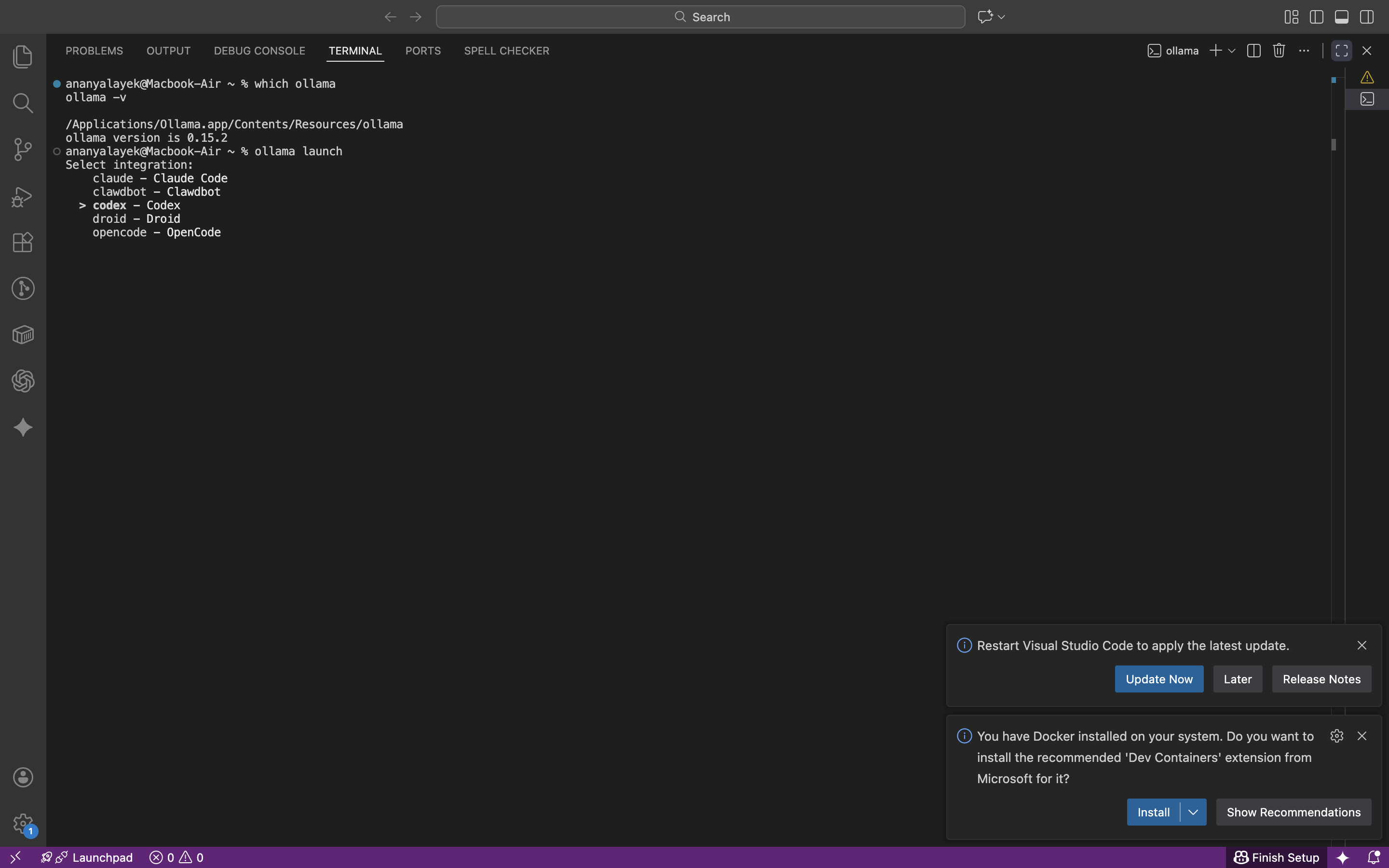
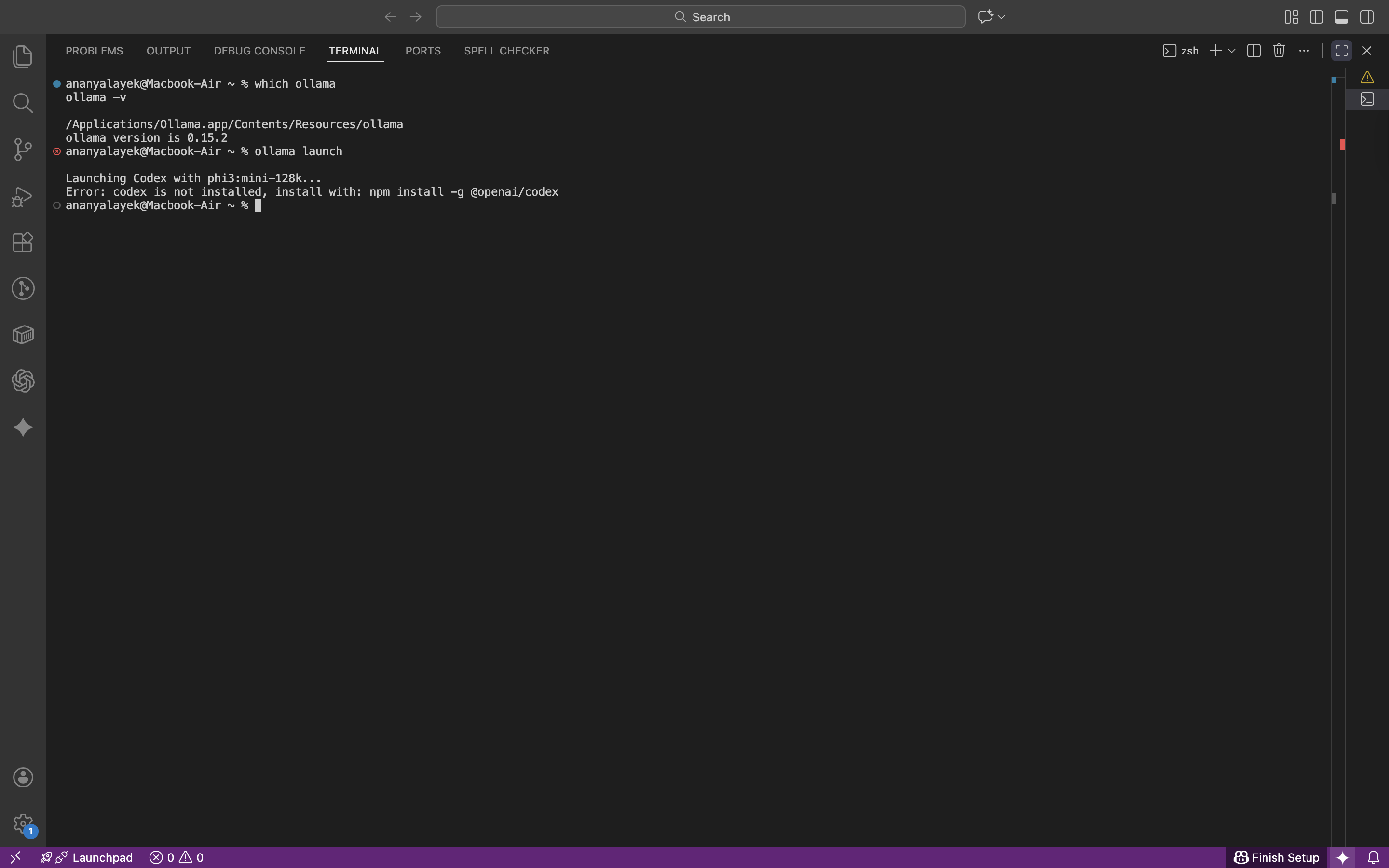
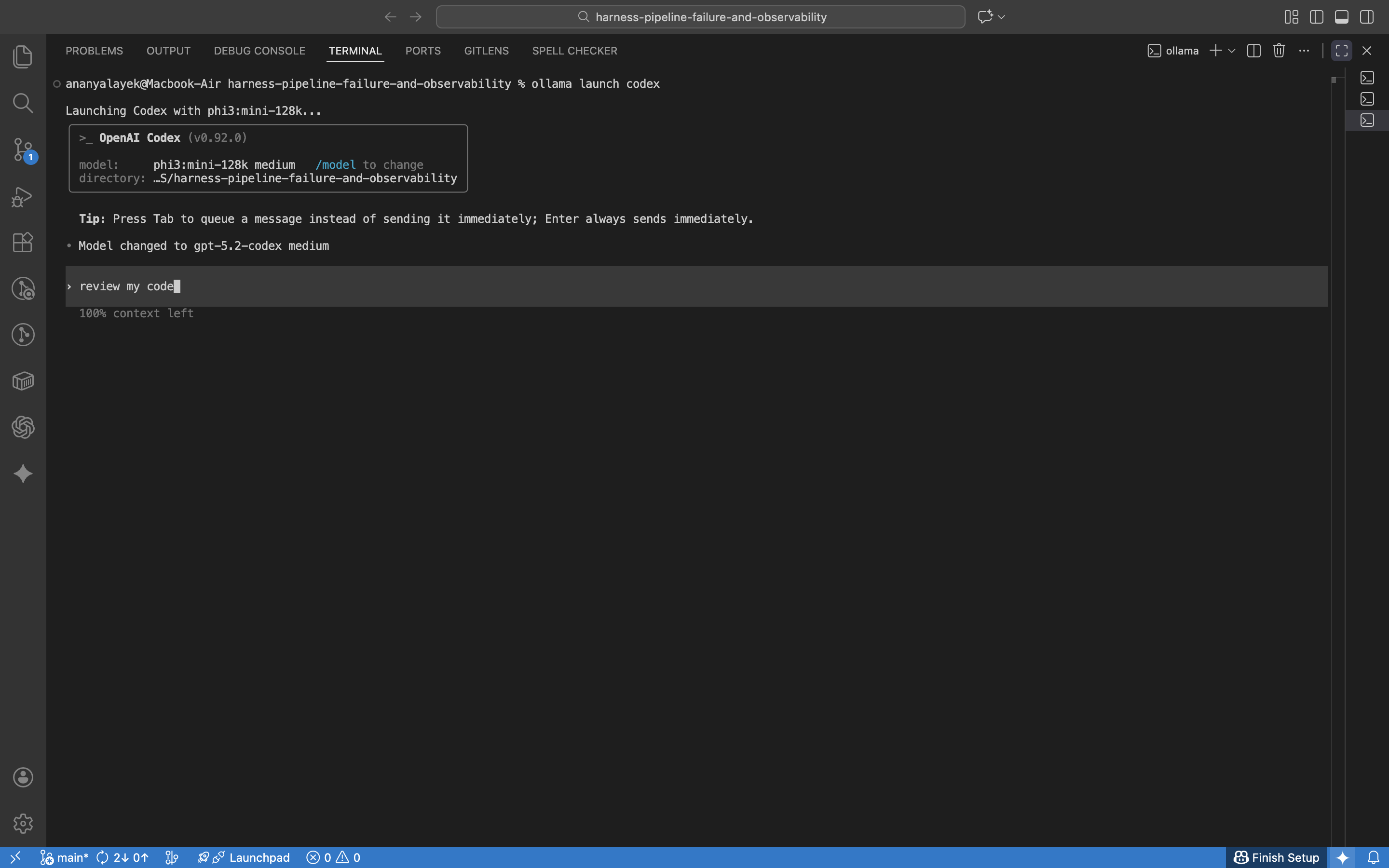
The flow started with a simple command and a menu. The launcher listed available integrations (Claude, Codex, OpenCode, and others), then asked for a model. When I selected Codex without having it installed, the launcher surfaced the missing dependency clearly and told me what to install.
More screenshots
The two gates
The first gate is tool installation. If the integration is not installed, the launcher stops and tells you exactly what is missing.
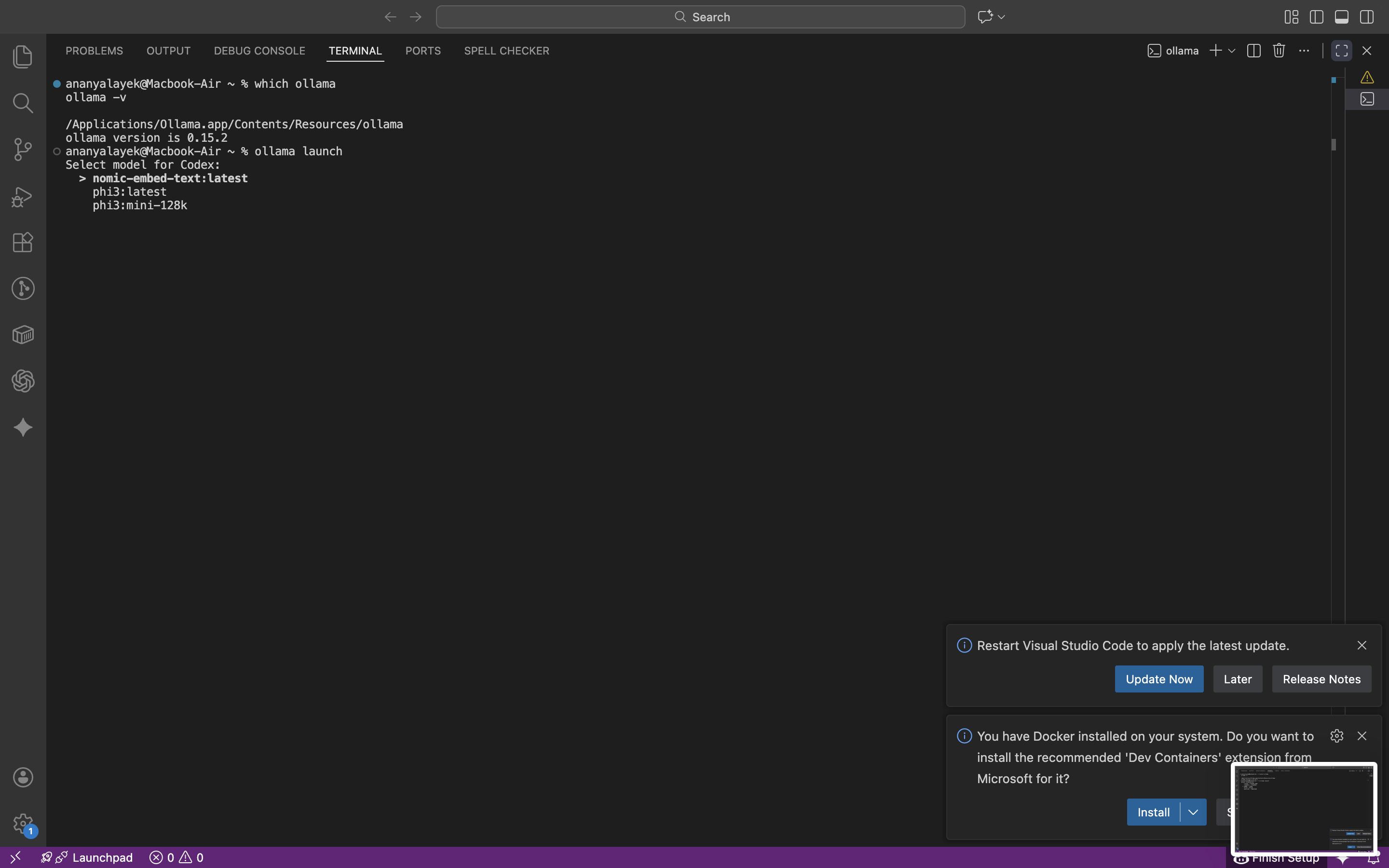
The second gate is model availability. If the model is not local, the handoff stalls until it is pulled or selected.
Setup walkthrough
- Run the launcher.
- Select an integration (Codex, OpenCode, or another tool you have installed).
- Select a local model.
- Start the tool session.
ollama launch
First-time config
When Codex was missing, the launcher pointed to the installation command. After installing, the same launch flow worked cleanly.
npm install -g @openai/codex
Quick checks
ollama launch codex
ollama launch opencode
ollama launch claude
Failure modes
- Launching a tool before it is installed.
- Selecting a model that is not available locally.
- Assuming the launcher is a model manager rather than a handoff layer.
What made the difference
The launcher compresses setup into one visible decision tree. Instead of hunting for flags and configs, you pick a tool and a model and move on.
What I would do next time
I would pre-install the integrations I care about, then treat ollama launch as the default entry point for local tool sessions.