Internal AI Adoption Kit (FAQ + training)
An internal enablement kit for Microsoft 365 Copilot + Azure AI Foundry rollouts across enterprise teams.
0. Why this guide exists
Internal AI adoption fails when teams are unsure what is safe, what is allowed, and who to ask. This kit supports Microsoft 365 Copilot + Azure AI Foundry rollouts with clear guidance and shared language.
Adoption is fragmented and risk perception varies by team.
Higher adoption with fewer policy escalations.
Confidence at scale.
1. Mental model (Policy -> Enablement -> Daily work)
Leadership layer. Defines what is allowed.
Training layer. Turns policy into usable workflows.
Employee layer. Uses Copilot inside approved boundaries.
2. Rollout goals (governance first)
- Establish clear boundaries for safe use.
- Provide approved templates for common tasks.
- Reduce fear with hands-on support.
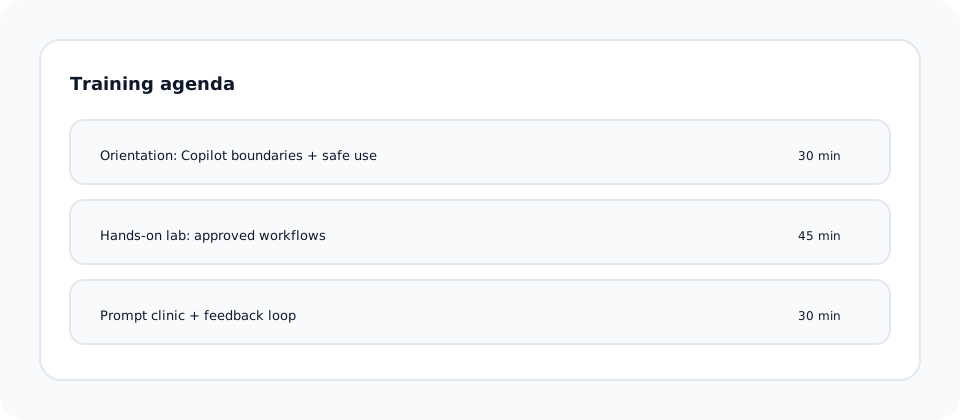
3. Training agenda (isolation and safety)
- Orientation: what Copilot can and cannot do.
- Hands-on lab with approved workflows.
- Prompt clinic and feedback loop.
4. FAQ highlights (learning before building)
No. The goal is to remove repetitive work and free time for judgment.
Only approved datasets with redaction enabled.
Each team has a designated prompt owner.
5. Office hours + support (proof of access)
- Weekly office hours with SMEs.
- Monthly prompt review sessions.
- Internal showcase of approved use cases.
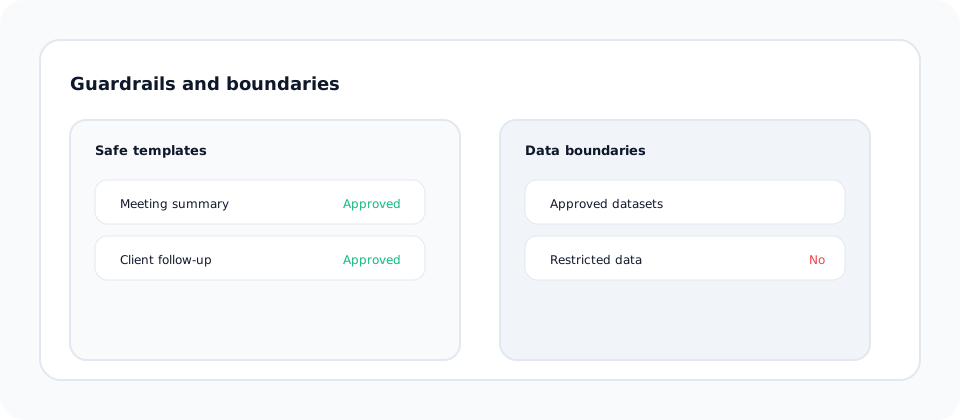
6. Guardrails and limits (preventing early failures)
Approved prompts embedded in training kits.
Clear list of allowed and prohibited data types.
Who to contact when a use case is unclear.
7. Common failure modes (what breaks in real orgs)
Employees test outside approved channels.
Mixed messages from leadership and IT.
Fear of mistakes slows adoption.
8. What "ready" actually means
- Training: At least 2 sessions per department completed.
- FAQ: Published and linked from internal portal.
- Support: Office hours and escalation contacts active.
- Measurement: Adoption and confidence tracked quarterly.
Business impact: Higher adoption, fewer escalations, and faster change maturity.
Author note
Adoption is a change problem, not a feature problem. I build kits that turn curiosity into responsible use.