AWS Bedrock Platform Onboarding Guide
A governance-first onboarding guide for enterprise adoption of AWS Bedrock with secure access, cost controls, and operational readiness.
0. Why this guide exists
Enterprise AI programs fail when teams ship faster than governance. This guide helps platform and enablement teams roll out AWS Bedrock with clear ownership, cost predictability, and risk controls.
Experiments begin without boundaries. Governance arrives after incidents.
Teams ship inside guardrails with fewer escalations and predictable spend.
Controlled momentum over raw speed.
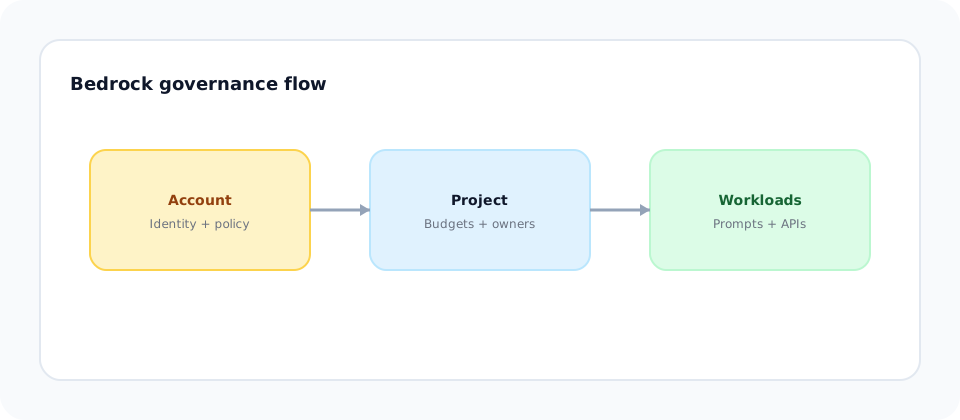
1. AWS Bedrock mental model (Account -> Project -> Workload)
AWS Bedrock adoption succeeds when governance is centralized and inherited. Align to a simple hierarchy early.
Governance layer. Identity, networking, and policy decisions live here.
Execution layer. Teams build within approved permissions and budgets.
Behavior layer. Prompts, APIs, and integrations where cost and risk surface.
Leadership framing: Make decisions once at the highest reasonable level, then inherit everywhere else.
2. Creating the account boundary (governance first)
Outcome: A centralized governance boundary with clear ownership and policy inheritance.
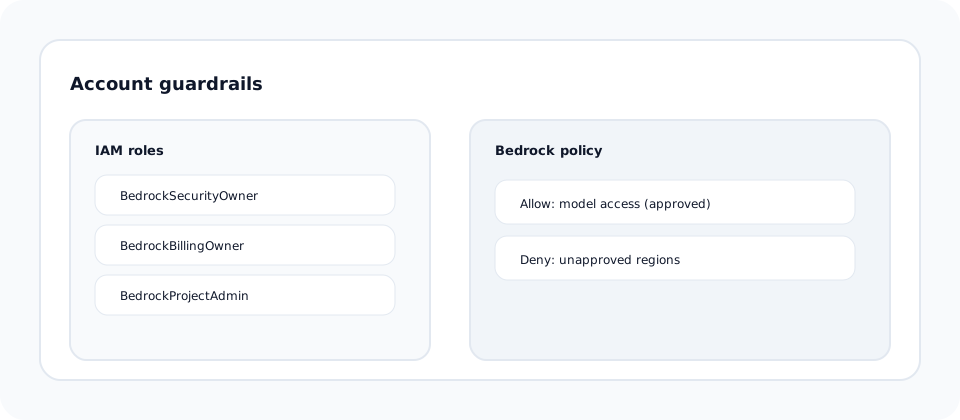
Start with an AWS account (or account group) dedicated to AI workloads. Enforce policies and identity controls before any model access.
Use IAM roles with least privilege and assign a Security Owner and Billing Owner.
Define VPC endpoints and regional constraints where required.
Set SCPs or IAM guardrails for Bedrock model access.
Developer callout: You inherit the account guardrails. You do not create them.
3. Creating a project (isolation and safety)
Outcome: Teams can experiment without cross-team interference or cost ambiguity.
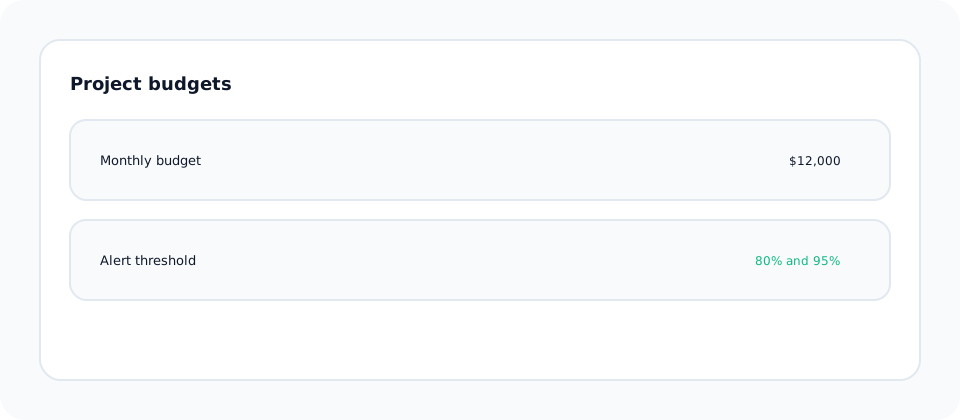
Create a project workspace with scoped permissions, budgets, and logging.
Separate dev, staging, and prod environments.
Assign a project owner and on-call contact.
Apply cost alerts and usage thresholds per project.
4. Console playground (learning before building)
Outcome: Teams understand model behavior before writing code.
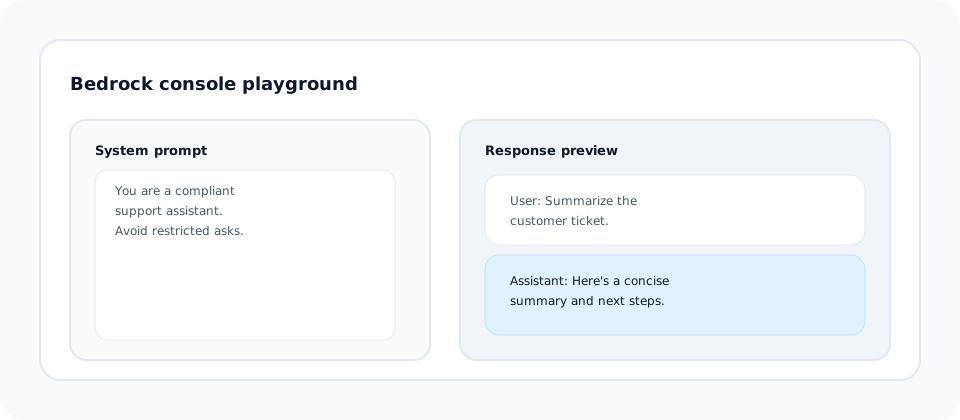
Use the Bedrock console to test prompts, document failure modes, and agree on the system prompt standard.
Define and document the system prompt used across workloads.
Compare model tiers for cost, latency, and quality.
Capture refusal behavior and unsafe outputs.
5. First API call (proof of access)
Outcome: Verified access with logs and cost visibility from day one.
Use the Bedrock runtime client and log request metadata.
import json
import boto3

client = boto3.client("bedrock-runtime", region_name="us-east-1")

payload = {
  "prompt": "Summarize this ticket in one sentence.",
  "max_tokens_to_sample": 200,
  "temperature": 0.2
}

response = client.invoke_model(
  modelId="anthropic.claude-3-sonnet-20240229-v1:0",
  body=json.dumps(payload)
)

result = json.loads(response["body"].read())
print(result["completion"])
import { BedrockRuntimeClient, InvokeModelCommand } from "@aws-sdk/client-bedrock-runtime";
const client = new BedrockRuntimeClient({ region: "us-east-1" });
const payload = {
prompt: "Summarize this ticket in one sentence.",
max_tokens_to_sample: 200,
temperature: 0.2
};
const command = new InvokeModelCommand({
modelId: "anthropic.claude-3-sonnet-20240229-v1:0",
body: JSON.stringify(payload),
contentType: "application/json",
accept: "application/json"
});
const response = await client.send(command);
const result = JSON.parse(new TextDecoder().decode(response.body));
console.log(result.completion);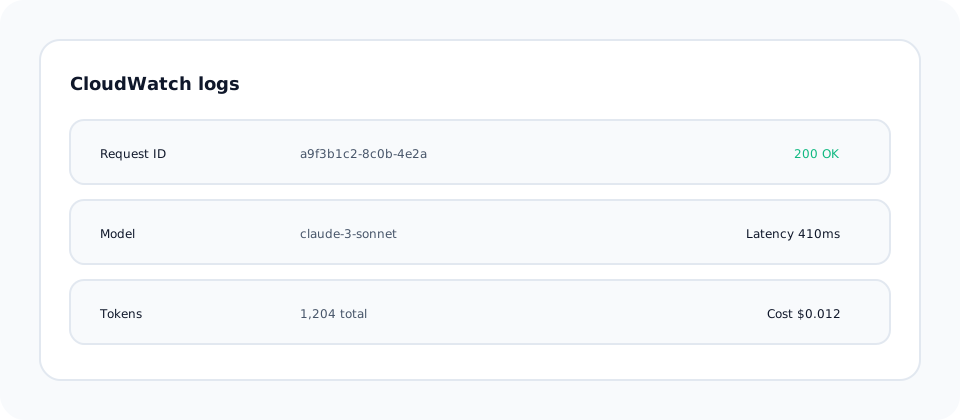
6. Guardrails and limits (preventing early failures)
Outcome: Lower policy violations and predictable cost behavior.
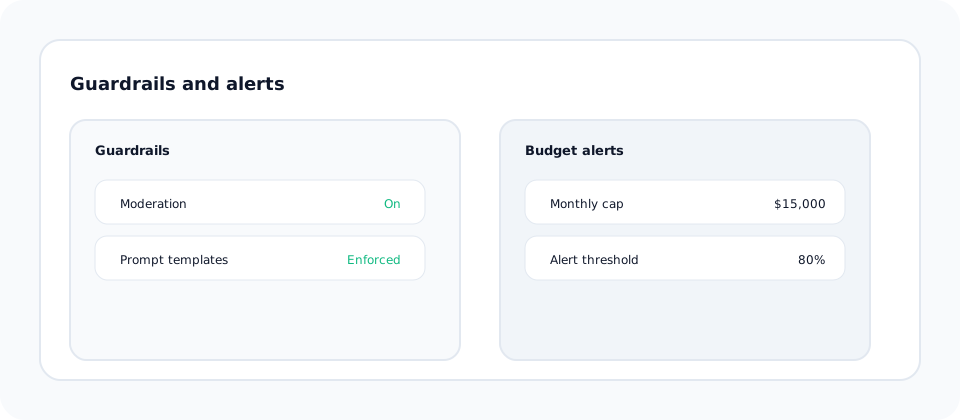
Enable guardrails and enforce rate limits and budgets before production usage.
Enable Bedrock guardrails or moderation where applicable.
Set per-project limits to avoid spikes.
Track usage per model and alert on anomalies.
7. Common failure modes (what breaks in real orgs)
These issues show up repeatedly in enterprise rollouts. Plan for them early.
Keys or roles are shared with no owner, slowing incident response.
No alerts or budgets for early experiments.
Prompt changes bypass review and create unsafe outputs.
Fix: Tie access, prompts, and budgets to named owners with review cadence.
8. What "ready" actually means
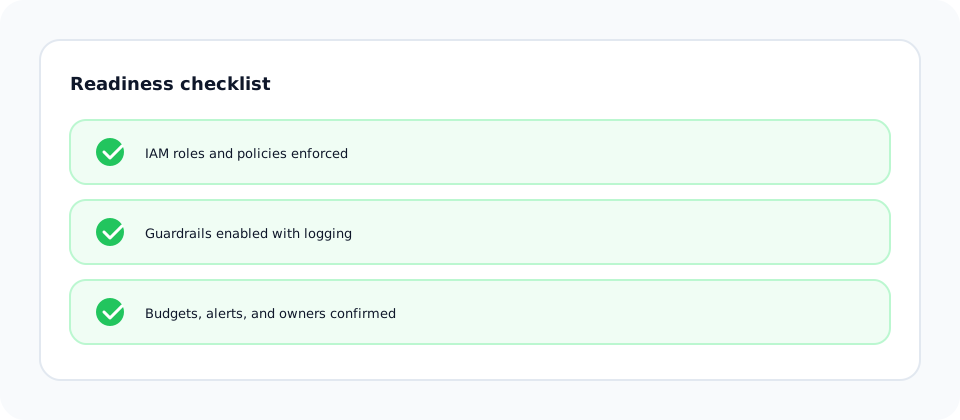
A project is ready to go live when the following are true:
- Governance: IAM roles, policies, and account guardrails are enforced.
- Safety: Guardrails are enabled and logged.
- Cost: Budgets and alerts are active at the project level.
- Operational: Owners and rollback paths are documented.
Business impact: Faster onboarding, fewer incidents, higher trust across teams.
Author note
I treat onboarding as a governance exercise: clarify decisions early so developers can move fast without surprises.